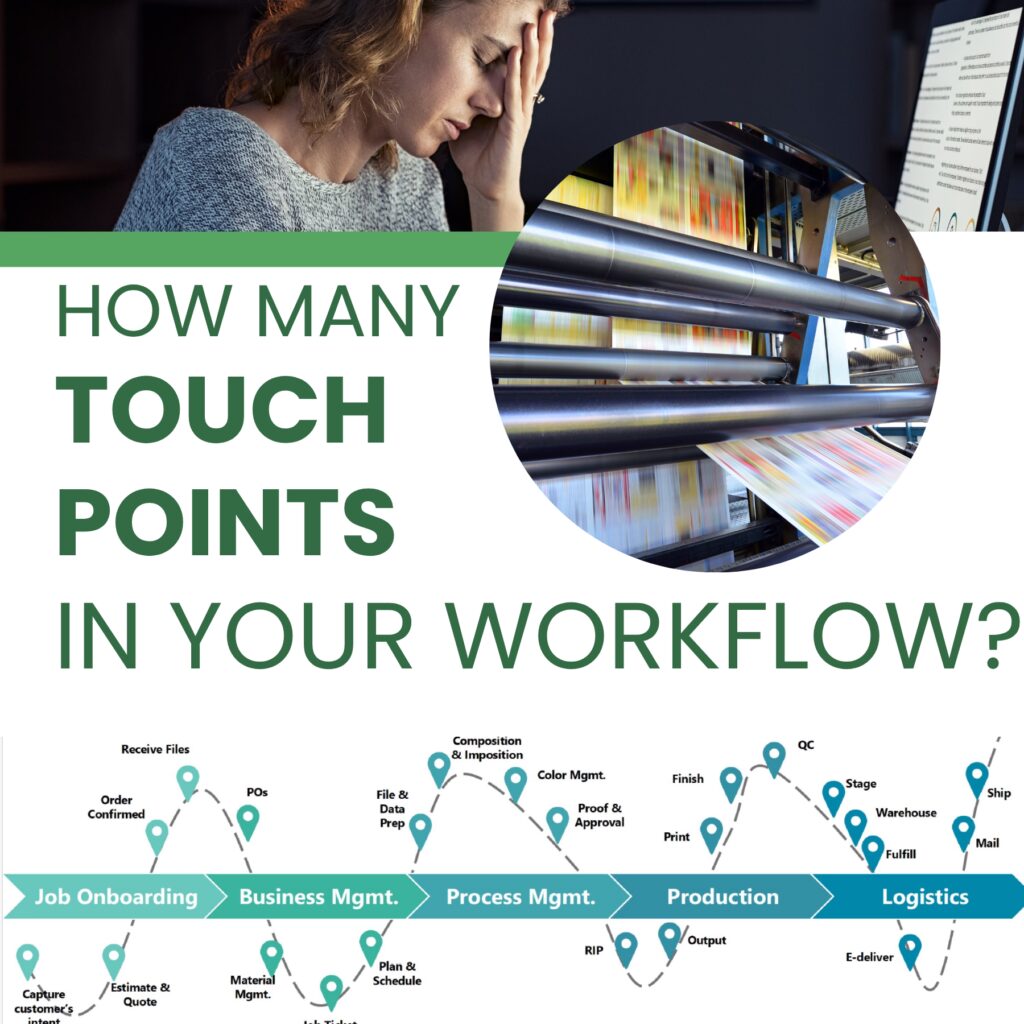
In the high-stakes world of commercial printing, every manual “touch” is a potential for error and a drain on your profit margins. Stay competitive and achieve a near-zero touch workflow with Emerald Document Imaging’s production print machines.
Here are the primary strategies to achieve a “near-zero touch” workflow:
1. Inline Finishing Integration
- Integrated Modules: Equipping your press with inline finishers like theRicoh Pro C9500’s booklet or GBC punching modules allows a job to be printed, folded, and bound in one continuous pass.
- Automated Creasing/Slitting: High-end finishers use barcode-driven setups. The press reads a barcode on the sheet and automatically adjusts the blades for the next job without a technician turning a single dial.
2. Auto Color and Registration Management
- Internal Sensors: Modern engines use real-time sensors (like Ricoh’s Adaptive Quality Control) to monitor image quality. If the color drifts or registration shifts by a fraction of a millimeter, the machine self-corrects on the fly.
- Result: High-end finishers use barcode-driven setups. The press reads a barcode on the sheet and automatically adjusts the blades for the next job without a technician turning a single dial.
3. Smart Media Handling and Vacuum Feeding
- Vacuum Feed Trays: Unlike friction rollers that can double-feed or slip, vacuum-feed technology, which comes standard on theRicoh Pro C7500, uses air suction to lift a single sheet at a time.
- Media Identification Unit: This sensor automatically detects the paper weight and type, then applies the correct fuser temperature and air-assist settings. This removes the “guesswork” and potential for human error during setup.