This article explains cloud printing concepts at a high level to help businesses understand how cloud technology affects office printing, document access, and workflows.
You’ve probably heard the term “the cloud” in countless business conversations, but when it comes to printing, what does it actually mean?
And more importantly, how does cloud technology change the way your office manages documents, printers, and workflows in 2026?
For modern businesses, understanding cloud printing isn’t just a tech upgrade; it’s a smarter, more flexible way to work. From hybrid teams to managed print services, the cloud is quietly transforming office printing into something faster, more secure, and more cost-effective.
Let’s break it all down in plain English.
1. So… What Exactly Is “The Cloud”?
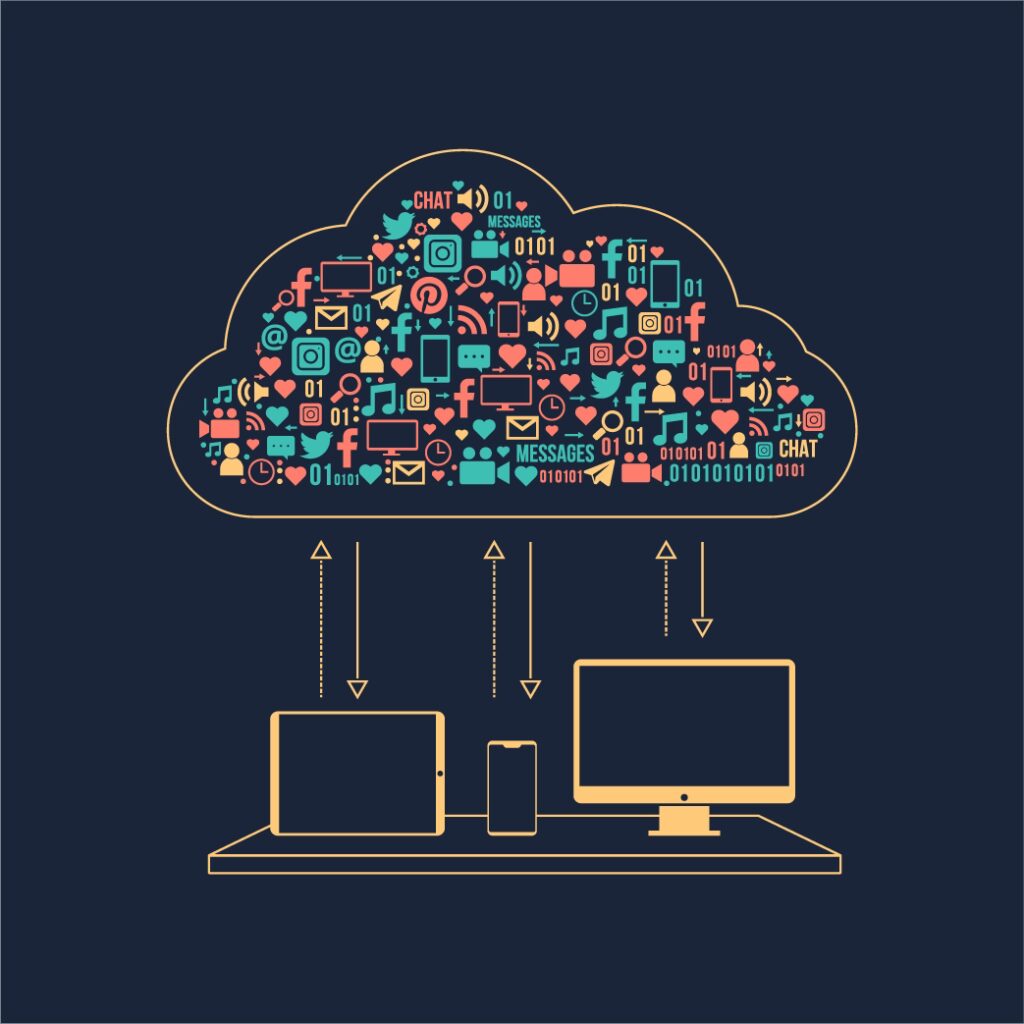
In the simplest terms, the cloud refers to servers accessed over the internet, and the software and storage that live on them instead of your local computer or office network.
When you save a file to Google Drive, Microsoft OneDrive, or Dropbox, you’re storing it in the cloud. When you log in to an app like Salesforce or Zoom, you’re using a cloud-based service.
The cloud isn’t one physical place; it’s a network of secure data centers that let users access files, software, and devices from anywhere.
So how does that connect to printing?
Well, in the past, you had to send your print job from a desktop that was physically connected to a printer (usually through a local network). With cloud printing, your device doesn’t have to be in the same building, or even the same state.
2. What Is Cloud Printing?
Cloud printing allows you to send documents to a printer via the internet, rather than through a direct, on-premises connection.
That means:
- You can print from any device — laptop, phone, or tablet.
- You don’t need to install printer drivers for every machine.
- You can access the printer remotely, even if you’re offsite.
For example:
An employee working from home in Brooklyn can securely print to the office’s Ricoh multifunction printer in Long Island, and the document will be waiting when they arrive.
Cloud printing connects your devices, printers, and storage through an online platform, simplifying how teams print, scan, and share documents.
3. How Cloud Printing Works
Cloud printing services act as a bridge between your device and the printer.
Here’s how it typically works:
- You upload your file to a cloud printing platform (either through a browser, app, or email).
- The platform authenticates your credentials to ensure security.
- The print job is sent through an encrypted connection to your networked printer.
- The printer retrieves the job, prints it, and may delete the file immediately after for privacy.
Modern solutions like Ricoh Smart Integration or uniFLOW Online manage this entire process seamlessly, allowing businesses to handle everything from secure print release to cost tracking in one place.
4. The Key Benefits of Cloud Printing
Flexibility and Remote Access
The biggest game-changer is mobility. Employees can print securely from any location, whether they’re at home, traveling, or working from a client’s office.
This is especially useful for hybrid workforces. Instead of emailing documents to coworkers who are in-office, users can print directly to the office printer remotely.
Reduced IT Burden
Traditional print servers require maintenance, updates, and troubleshooting. Cloud printing eliminates much of that by shifting management to a hosted platform.
IT teams spend less time installing drivers, managing queues, and fixing connection issues, freeing them to focus on more strategic projects.
Enhanced Security
Cloud printing platforms use end-to-end encryption, secure authentication, and role-based access controls to protect documents in transit and at rest.
Features like “secure print release” ensure sensitive documents only print when the user is physically present at the device and authenticates (via badge, PIN, or mobile app).
Cost Control and Analytics
With centralized reporting, businesses can monitor print volumes, track costs by department, and identify wasteful printing habits.
This data helps optimize device placement and informs future purchasing or leasing decisions. It’s especially useful when paired with Managed Print Services (MPS).
Environmental Benefits
By reducing unnecessary prints and allowing digital workflows (like scan-to-cloud), cloud printing helps businesses cut down on paper waste and toner use, aligning with sustainability goals.
5. Cloud Printing in Action: A Real-World Example
Let’s say you run a mid-sized architecture firm in New York City with both in-office and remote employees.
Before adopting cloud printing:
- Each office had its own print servers.
- Remote staff had to email files to someone in-office to print.
- IT spent hours maintaining printer drivers and troubleshooting connections.
After switching to a cloud-based print management system:
- Employees print directly from AutoCAD, Adobe, or Office apps from anywhere.
- Print jobs are queued securely until users authenticate at the printer.
- The company tracks toner usage and print volumes across all devices.
- Remote workers can scan blueprints to the cloud and share them instantly.
The result?
Lower IT overhead, tighter security, and happier employees, all without adding extra hardware.
6. What About Cloud Scanning?
Cloud technology doesn’t just improve printing, it transforms scanning too.
Modern multifunction printers (MFPs) can scan documents directly to cloud storage services like Google Drive, Box, or SharePoint with a single tap.
Instead of scanning to your email (and cluttering your inbox), the file goes straight to a shared folder — automatically named, formatted, and accessible to your team.
For industries like real estate, healthcare, and construction, where paperwork moves fast, cloud scanning streamlines record-keeping and collaboration.
7. Cloud Printing and Security: What You Should Know
Security is always top of mind for IT teams, and rightfully so. Printing might not seem like a cybersecurity risk, but unsecured devices can expose sensitive business data.
Fortunately, modern cloud print solutions are built with protection in mind. They include:
- End-to-end encryption: Data is encrypted before it leaves your device.
- User authentication: Only authorized users can access printers or stored documents.
- Audit trails: Every print, scan, or copy is logged for accountability.
- Automatic data deletion: Print jobs are erased from the cloud once completed.
For companies operating in regulated industries (like legal or healthcare), these safeguards help maintain compliance with standards such as HIPAA and GDPR.
8. How Cloud Printing Fits Into Managed Print Services (MPS)
Cloud printing and Managed Print Services go hand in hand.
MPS providers, like Emerald Document Imaging, help businesses analyze their print environment, reduce costs, and optimize workflows. By integrating cloud-based print management, they can monitor performance, deliver remote support, and push software updates without needing to visit the site.
That means fewer service calls, fewer headaches, and real-time visibility into your entire print ecosystem.
For Long Island and NYC businesses managing multiple locations or hybrid teams, MPS + cloud printing offers a powerful combination of control, scalability, and convenience.
9. Common Myths About Cloud Printing
Myth 1: Cloud printing isn’t secure.
Reality: Cloud systems use enterprise-grade encryption, authentication, and secure data centers.
Myth 2: It’s too expensive.
Reality: Cloud printing often reduces costs by eliminating servers and reducing IT overhead.
Myth 3: It’s only for big companies.
Reality: SMBs benefit just as much, if not more, especially those with hybrid or remote teams.
Myth 4: It requires constant internet access.
Reality: Many platforms store jobs locally and sync automatically once reconnected.
10. How to Transition to Cloud Printing
Thinking about making the switch? Here’s a step-by-step approach:
- Assess your current environment.
Identify your existing printers, workflows, and pain points. - Choose a compatible platform.
Consider solutions like Ricoh Smart Integration that work with your existing devices. - Integrate with your cloud storage.
Link services like OneDrive, Google Drive, or Dropbox for easy access. - Set up user authentication and permissions.
Protect sensitive documents and restrict who can print what. - Train your staff.
Provide a short onboarding session so everyone knows how to use the new system. - Monitor usage and adjust policies.
Use analytics to track print behavior and refine your strategy.
With help from a local provider like Emerald Document Imaging, the transition can happen smoothly with full support for setup, configuration, and training.
“The cloud” isn’t just a buzzword, it’s a foundational shift in how businesses work.
When it comes to office printing, the cloud enables faster workflows, better collaboration, tighter security, and lower costs. Whether you’re managing a fleet of Ricoh multifunction printers or just a few desktop MFPs, cloud printing ensures your team can print smarter, not harder.
At Emerald Document Imaging, we help businesses across Long Island, NYC, and the tri-state area modernize their print environments with cloud-enabled devices and Managed Print Services.
Ready to bring your office printing into the cloud era? Reach out today and we’ll help you find the right solution for your needs and your network.