Walk past most office printers at the end of the day and you’ll find a stack of pages nobody picked up: a forgotten spreadsheet, a document someone reprinted because the first copy went missing, a page that was never actually needed. Follow-me printing exists to fix exactly that problem.
Instead of sending a job straight to a specific printer, follow-me printing holds it on the network until the person who sent it badges in or enters a PIN at any connected device. If they never show up to collect it, the job never actually prints, which quietly solves two problems at once: wasted paper and toner, and sensitive documents sitting unattended in a tray.
Here’s how it works, what it actually solves, and who genuinely needs it versus who can skip it.
How Follow-Me Printing Works
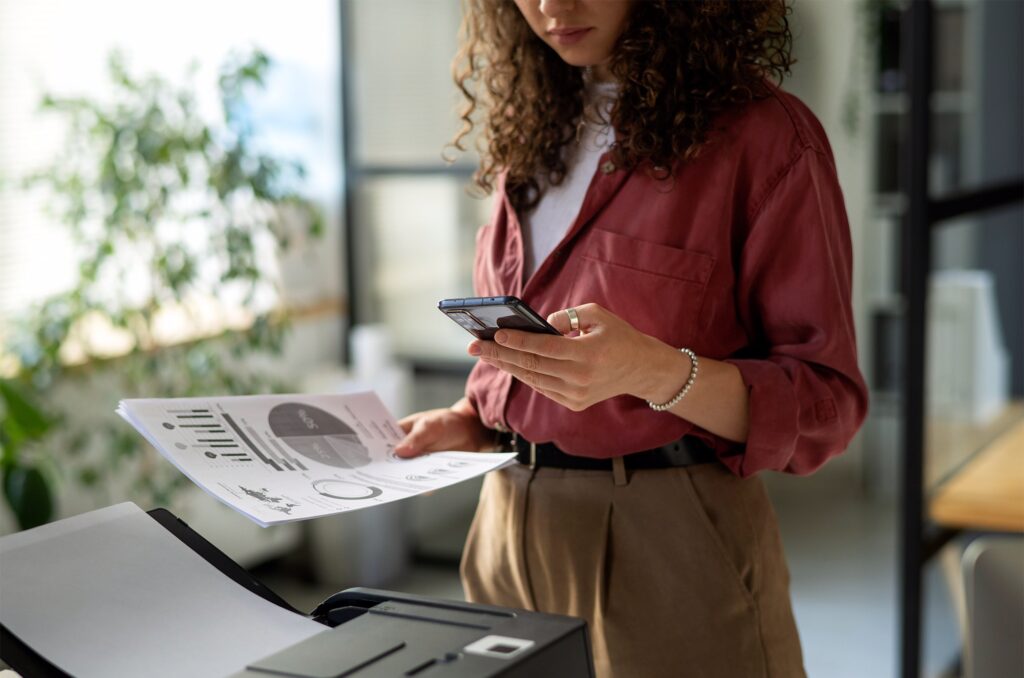
When an employee hits print, the job doesn’t go to a printer right away. It sits in a secure queue on the network. The employee then walks up to any MFP in the office, badges in with an ID card, enters a PIN, or logs in on the touchscreen, and their pending jobs appear, ready to release. If they don’t retrieve the job, it never prints at all, and it’s automatically cleared from the queue after a set period.
What Problem It Actually Solves
Sensitive Documents Left in the Tray
Payroll reports, HR files, client contracts, and anything else that shouldn’t be sitting in an open tray are the clearest reason offices adopt this. If a job only prints once someone is standing at the machine to collect it, the risk of a sensitive document being picked up by the wrong person, whether intentionally or by accident, drops considerably.
Wasted Paper and Toner
It’s common for people to reprint a document because they can’t find the first copy, or because they sent it to the wrong printer on a different floor. Since follow-me jobs wait for the user rather than committing to paper immediately, jobs that are cancelled or forgotten simply never print, which over the course of a year can meaningfully cut down on wasted supplies.
Flexibility Across a Larger Office
In an office with multiple MFPs, follow-me printing lets someone release a job at whichever device is closest or free at the moment, rather than being tied to the one printer they originally sent the job to. This is especially useful in offices spread across multiple floors or wings of a building.
Who Benefits Most
- Offices that regularly print HR, payroll, legal, or financial documents
- Larger offices with more than one MFP where people move between floors or departments
- Regulated industries like healthcare, finance, and legal services where document exposure is a compliance concern
- Shared or hybrid workspaces where a printer might be used by people from different companies or teams
Who Can Probably Skip It
A small office with one printer, a stable staff, and nothing especially sensitive going through the machine usually doesn’t need the added step. Follow-me printing adds a bit of friction to every print job, which is worth it when the alternative is a real security or waste problem, and less necessary otherwise. Forcing the feature onto an office that doesn’t need it just adds an extra click to routine printing without a corresponding benefit.
What Setup Involves
Follow-me printing typically runs through print management software like PaperCut, which sits between your network and your printers to hold jobs and handle authentication. Most offices already have the hardware needed, since badge readers and PIN entry are built into or easily added to current-generation business MFPs. The bigger lift is usually deciding on an authentication method (badge, PIN, or login) and rolling it out to staff.
How This Fits Into Broader Print Security
Follow-me printing is one piece of a larger picture that includes device-level security features like encrypted hard drives and user permissions.
If you’re evaluating a new MFP and want to understand the full range of security options available, our guide on what security features a modern MFP should have covers that ground in more detail.
Rolling It Out Without Frustrating Your Staff
The most common complaint after adopting follow-me printing isn’t about the technology, it’s about employees feeling like a routine task suddenly got more complicated. A short rollout period with clear instructions, and a badge or PIN that’s easy to use, goes a long way toward avoiding pushback. It also helps to explain why the change is happening rather than just announcing a new step with no context.
Piloting the change with one department or one device before rolling it out office-wide can also surface small issues, like a badge reader placed somewhere inconvenient, before they become a company-wide annoyance. Most offices find that after the first couple of weeks, the new habit sets in and complaints drop off entirely.
How This Compares to Simpler Alternatives
Some offices try to solve the same problem with a simpler fix, like reminding staff to pick up print jobs promptly or placing the printer somewhere more visible so unclaimed pages are noticed faster. These approaches can help at the margins, but they rely on consistent human behavior rather than removing the risk structurally. Follow-me printing solves the problem at the system level, which tends to hold up better over time than a policy that depends on everyone remembering to follow it.
For offices weighing the investment, it helps to think about the cost of a single bad outcome, a sensitive document seen by the wrong person, or a client file left in a shared tray, against the modest cost of adding secure release printing. For most regulated or higher-sensitivity offices, that comparison makes the decision straightforward.
Frequently Asked Questions
Does follow-me printing slow down day-to-day printing?
It adds one extra step, walking up and authenticating at the device, but the print itself happens just as fast once released. Most offices find the extra step becomes routine within a week or two.
Do we need special printers to support this, or does it work with what we have?
Most current business-class MFPs support badge readers and PIN authentication, either built in or as an add-on. It’s worth confirming compatibility with your specific model before assuming an upgrade is required.
What happens to jobs that are never released?
They simply expire and are deleted from the queue after a set period, so nothing ends up sitting in a tray unclaimed.
Is this only useful for large offices?
It scales down fine, but the benefit is smaller for a single-printer office with low-sensitivity printing. It tends to matter most once you have multiple devices or handle documents you’d rather not leave unattended.
Can follow-me printing track who printed what?
Yes, most systems log which user released which job and when, which is useful for cost tracking and for regulated industries that need an audit trail.
What’s the easiest authentication method for most offices?
Badge authentication tends to be the fastest for employees who already carry an ID badge for building access, since it reuses something they’re carrying anyway rather than requiring a new PIN to remember.
Decide If Follow-Me Printing Fits Your Office
If unclaimed printouts or document security are a recurring concern in your office, follow-me printing is worth a look.
Explore our multifunction printers and copiers or get in touch and we can help you figure out whether it makes sense for your setup.