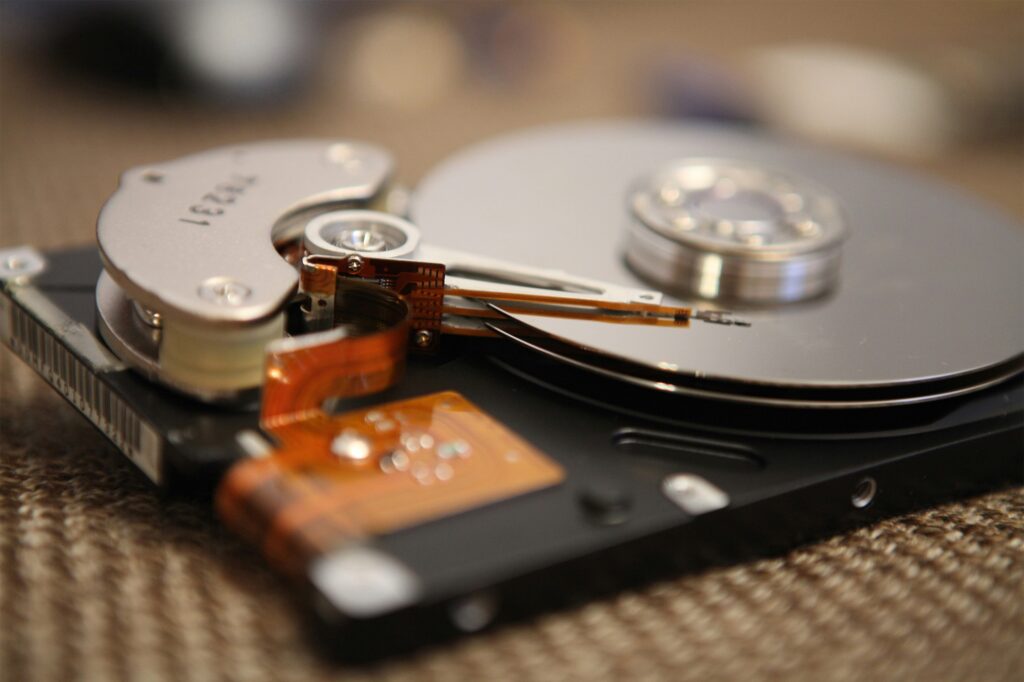
When businesses think about data security, they often focus on firewalls, encryption, and cloud security. But one of the most common and overlooked sources of data breaches is improperly disposed IT hardware and storage media.
Hard drives, servers, backup tapes, USB drives, mobile devices, and legacy media all contain sensitive data long after they’re no longer in use. Simply deleting files, reformatting a drive, or placing equipment in storage does not eliminate risk. In many industries, improper disposal can lead to regulatory violations, lawsuits, and reputational damage.
This article explains what types of media need to be destroyed, when destruction is required, and how businesses can implement a secure, compliant media destruction strategy.
Why Media Destruction Is a Critical Security Issue
Every organization generates digital data, often more than it realizes. That data lives on physical media long after systems are upgraded, employees leave, or offices move.
Common risks of improper media disposal include:
- Data breaches
- Identity theft
- HIPAA or regulatory violations
- Loss of intellectual property
- Legal liability
- Loss of customer trust
Even a single discarded hard drive can expose thousands of records.
Secure media destruction ensures sensitive data is irretrievable, not just hidden.
Why Deleting Files or Reformatting Isn’t Enough
Many businesses assume that deleting files or performing a factory reset removes data. In reality:
- Deleted files can often be recovered
- Reformatted drives still contain recoverable data
- “Emptying the recycle bin” does nothing to destroy underlying data
- Older devices may lack modern encryption
Regulators and courts do not consider these methods secure destruction.
Physical destruction or certified data wiping is required.
What Types of Media Must Be Destroyed
Any device capable of storing data should be evaluated for secure destruction.
1. Hard Disk Drives (HDDs)
Traditional spinning hard drives store data magnetically and are highly recoverable if not destroyed.
Common sources include:
- Desktop computers
- Laptops
- Servers
- External hard drives
- Network storage devices
HDDs should be:
- Physically destroyed (shredded, crushed, or degaussed), or
- Sanitized using certified data wiping only if reuse is permitted
2. Solid State Drives (SSDs)
SSDs store data differently and are not reliably erased using traditional wiping methods.
Best practice:
- Physical destruction is strongly recommended
- Shredding or crushing renders chips unreadable
Many compliance frameworks now require physical destruction for SSDs.
3. Servers and Data Center Equipment
Servers often store:
- Customer databases
- Financial records
- Medical records
- Intellectual property
When servers are:
- Decommissioned
- Replaced
- Relocated
- Returned from colocation
All internal drives must be destroyed or sanitized under documented procedures.
4. Backup Tapes (LTO, DAT, DLT, etc.)
Backup tapes are among the highest-risk media types because they often contain full system snapshots.
Common in:
- Healthcare
- Finance
- Government
- Large enterprises
Tapes must be:
- Shredded or pulverized
- Logged with serial numbers
- Documented with certificates of destruction
5. USB Drives and Flash Media
Small devices often contain:
- HR files
- Client lists
- Presentations
- Credentials
Because they’re easy to lose, USB drives should always be physically destroyed when no longer needed.
6. Mobile Devices (Phones and Tablets)
Smartphones and tablets store:
- Emails
- Contacts
- Messages
- Attachments
- Login credentials
When devices are retired, lost, or reassigned:
- Data must be wiped and/or
- Storage media destroyed if devices are not reused
7. Optical Media (CDs, DVDs, Blu-ray)
Still common for:
- Legal records
- Medical imaging
- Archived data
These discs must be:
- Shredded
- Pulverized
Breaking discs by hand is not considered compliant destruction.
8. Legacy Media (Floppy Disks, Zip Disks, Microfilm)
Older media still contains recoverable data and must be destroyed according to modern standards.
When Media Must Be Destroyed
Media destruction is required at several key points in the data lifecycle.
1. End of Retention Period
When digital records reach the end of their legal retention period:
- Media storing that data must be destroyed securely
- Over-retention increases breach and litigation risk
This applies to backups as well as live systems.
2. Equipment Replacement or Upgrade
When upgrading:
- Computers
- Servers
- Network devices
Old storage media must be destroyed before:
- Disposal
- Resale
- Recycling
- Donation
3. Office Moves, Closures, or Downsizing
During transitions:
- Old equipment is often overlooked
- Storage closets and server rooms contain forgotten drives
Media destruction should be part of every relocation or closure plan.
4. Employee Termination or Device Reassignment
Before reissuing devices:
- Drives must be sanitized or destroyed
- Especially important for BYOD and remote work environments
5. Mergers, Acquisitions, or Divestitures
During corporate transactions:
- Legacy systems may no longer be needed
- Data ownership changes
Improper media handling during M&A is a major compliance risk.
6. Security Incidents or Lost Equipment
If devices are:
- Lost
- Stolen
- Compromised
Organizations must demonstrate that:
- Data was encrypted, or
- Media was destroyed according to policy
Regulations That Require Secure Media Destruction
Many laws explicitly require secure destruction of electronic media.
HIPAA (Healthcare)
Requires covered entities to:
- Render PHI unreadable and irretrievable
- Document destruction methods
Applies to:
- Hard drives
- Backup tapes
- Medical imaging media
GLBA (Financial Services)
Mandates protection and proper disposal of customer financial information.
FACTA
Requires secure disposal of consumer information to prevent identity theft.
NY SHIELD Act
Requires “reasonable safeguards,” including secure disposal of private information.
FERPA
Student records stored on digital media must be destroyed securely when no longer required.
ISO, SOC 2, and Other Frameworks
Require documented, auditable destruction processes for sensitive data.
Approved Methods of Media Destruction
1. Physical Shredding
Industrial shredders reduce media to small fragments, making data recovery impossible.
Best for:
- HDDs
- SSDs
- Tapes
- Optical media
2. Crushing or Punching
Used to destroy internal platters or chips.
Often combined with shredding for compliance.
3. Degaussing
Uses strong magnetic fields to destroy magnetic data.
Effective for:
- HDDs
- Tapes
Not effective for SSDs.
4. Certified Data Wiping (When Reuse Is Allowed)
Some drives can be wiped using:
- NIST 800-88 compliant methods
Must include:
- Verification reports
- Logging
- Certification
Not suitable for all media types.
Why DIY Media Destruction Is Risky
DIY approaches often fail because they:
- Miss hidden or embedded storage
- Lack documentation
- Do not meet regulatory standards
- Cannot prove irretrievability
Regulators and courts expect third-party verification.
How Professional Media Destruction Services Help
Professional providers offer:
- Secure pickup and chain of custody
- Onsite or offsite destruction
- Serial number tracking
- NIST-compliant processes
- Certificates of destruction
- Audit-ready documentation
This reduces risk and administrative burden.
Best Practices for a Media Destruction Program
To stay compliant, businesses should:
- Maintain a media inventory
- Align destruction with retention schedules
- Include backups and legacy systems
- Use certified destruction providers
- Document every destruction event
- Train IT and facilities staff
- Audit destruction practices annually
Media destruction should be part of your broader records management and cybersecurity strategy.
Hard drives and digital media hold far more sensitive information than most organizations realize, and that data doesn’t disappear when equipment is retired. Secure, documented media destruction is essential for preventing data breaches, meeting regulatory requirements, and protecting your organization from long-term liability.
Knowing what must be destroyed and when allows businesses to take a proactive, defensible approach to data security.
Emerald Document Imaging helps organizations securely destroy sensitive media through certified onsite and offsite document destruction services, full chain-of-custody tracking, and audit-ready certificates of destruction.