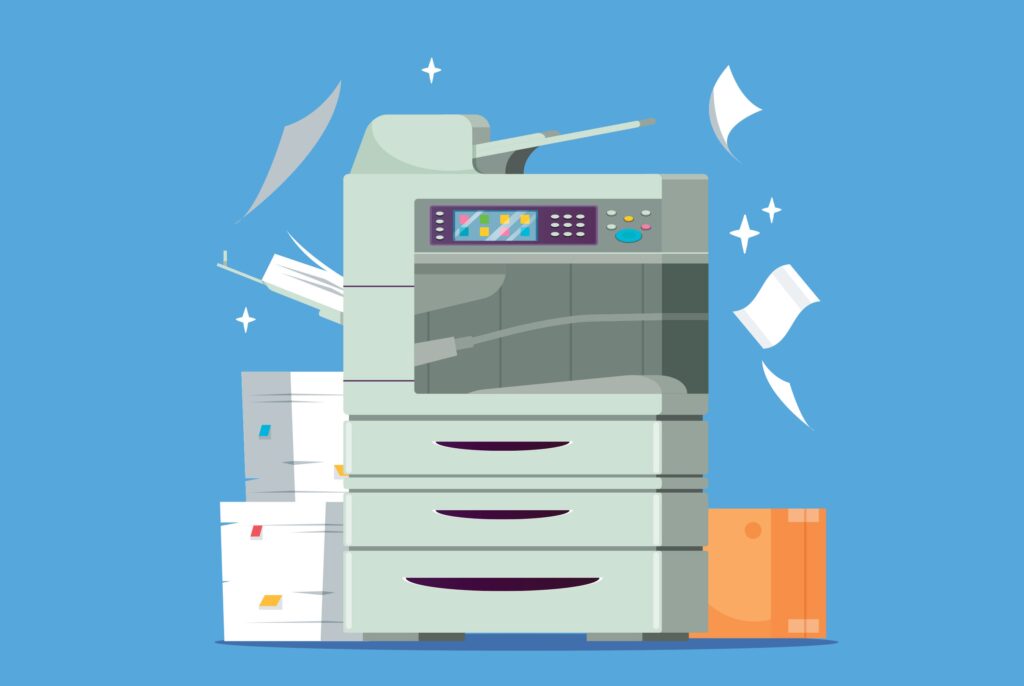
At first glance, a copier might seem like a simple machine: you place a document on the glass, press a button, and a copy appears. But modern multifunction printers (MFPs) are sophisticated devices combining printing, scanning, copying, and sometimes faxing in one system. Understanding how they work can help you optimize your office workflows, troubleshoot issues, and choose the right device for your business.
What Is a Multifunction Printer (MFP)?
An MFP is a single office device that combines several functions:
- Printing – producing documents in black-and-white or color
- Copying – duplicating existing documents
- Scanning – creating digital versions of physical documents
- Faxing – sending and receiving documents over a phone line (less common today)
By integrating these functions, MFPs save space, reduce costs, and improve productivity compared to having separate devices for each task.
The Core Components of a Copier
To understand how a copier works, it helps to know its main components:
- Photoreceptor Drum or Belt
- This is the heart of the copier. The drum is a cylinder coated with a photosensitive material that attracts toner where the image or text should appear.
- This is the heart of the copier. The drum is a cylinder coated with a photosensitive material that attracts toner where the image or text should appear.
- Toner Cartridge
- Toner is a fine powder (for laser printers) that sticks to the charged areas on the drum. Color MFPs have separate cartridges for cyan, magenta, yellow, and black (CMYK).
- Toner is a fine powder (for laser printers) that sticks to the charged areas on the drum. Color MFPs have separate cartridges for cyan, magenta, yellow, and black (CMYK).
- Corona Wire / Charging Roller
- This component applies an electrical charge to the drum to prepare it for attracting toner.
- This component applies an electrical charge to the drum to prepare it for attracting toner.
- Laser or LED Light Source
- In digital copiers, a laser or LED beam projects the image of your document onto the charged drum. The light neutralizes the charge in areas that should remain blank, allowing toner to stick only where it’s needed.
- In digital copiers, a laser or LED beam projects the image of your document onto the charged drum. The light neutralizes the charge in areas that should remain blank, allowing toner to stick only where it’s needed.
- Fuser Unit
- The fuser uses heat and pressure to permanently bond the toner to the paper, producing a durable copy.
- The fuser uses heat and pressure to permanently bond the toner to the paper, producing a durable copy.
- Paper Feed System
- Paper is pulled from the tray and guided through the machine. Modern MFPs can handle multiple trays, paper sizes, and even specialty media.
- Paper is pulled from the tray and guided through the machine. Modern MFPs can handle multiple trays, paper sizes, and even specialty media.
- Scanner / ADF (Automatic Document Feeder)
- For copying or scanning, the document is illuminated by a light source. The reflected image is captured by a sensor (CIS or CCD) and converted into digital data. The ADF allows multiple pages to be scanned automatically.
- For copying or scanning, the document is illuminated by a light source. The reflected image is captured by a sensor (CIS or CCD) and converted into digital data. The ADF allows multiple pages to be scanned automatically.
How a Copier Actually Works: Step-by-Step
Here’s a simplified process for a laser-based copier (most office MFPs use this method):
- Document Scanning
- The original document is scanned either on the glass or through the ADF. The image is converted into a digital file.
- The original document is scanned either on the glass or through the ADF. The image is converted into a digital file.
- Charging
- The drum is electrically charged evenly by the corona wire or charging roller.
- The drum is electrically charged evenly by the corona wire or charging roller.
- Exposing
- A laser or LED light “draws” the document image on the drum by neutralizing the charge where the toner should not stick.
- A laser or LED light “draws” the document image on the drum by neutralizing the charge where the toner should not stick.
- Developing
- Toner is applied to the drum. It clings to the charged areas, forming the image.
- Toner is applied to the drum. It clings to the charged areas, forming the image.
- Transferring
- The toner image is transferred from the drum to the paper.
- The toner image is transferred from the drum to the paper.
- Fusing
- Heat and pressure from the fuser unit permanently attach the toner to the paper.
- Heat and pressure from the fuser unit permanently attach the toner to the paper.
- Cleaning
- Any residual toner left on the drum is removed, and the drum is prepared for the next job.
- Any residual toner left on the drum is removed, and the drum is prepared for the next job.
For inkjet copiers (less common in office MFPs but still used in some small devices), the process is simpler: tiny droplets of ink are sprayed directly onto the paper without the drum, fuser, or corona wire.
Modern Features of Copiers
Today’s office MFPs go far beyond simple copying:
- Duplex Printing / Copying – automatic double-sided printing to save paper.
- Network Printing – devices can be shared across your office or accessed remotely.
- Scan-to-Email / Cloud – digitize documents and send directly to a recipient or storage system.
- Secure Print Release – requires user authentication to prevent sensitive documents from being left unattended.
- Workflow Automation – integrates with document management systems for automatic sorting, naming, and archiving.
- High Volume Output – production-level MFPs can handle thousands of pages per month.
Common Copier Issues and Quick Fixes
Understanding how copiers work also helps troubleshoot common problems:
- Paper Jams – usually caused by misaligned paper, worn rollers, or debris. Check trays and guides, remove any stuck paper, and inspect rollers.
- Lines or Stripes on Prints – often due to a dirty drum or toner cartridge. Cleaning or replacing the cartridge usually fixes this.
- Toner Smearing – the fuser may be dirty or not reaching the right temperature. Regular maintenance prevents this.
- Connectivity Problems – networked devices may need firmware updates, IP reconfiguration, or driver installation.
How Copier Technology Has Evolved
- Analog → Digital: Early copiers were analog; they used mirrors and photoconductive drums to create images. Digital MFPs now convert documents into digital files first, improving speed and flexibility.
- Standalone → Networked: Modern copiers are fully integrated into office networks, enabling remote printing, scanning, and management.
- Limited Function → Multifunction: Modern devices combine printing, copying, scanning, and sometimes faxing, reducing space needs and simplifying workflows.
- Manual → Automated Maintenance: Many MFPs now include automated toner monitoring, diagnostic alerts, and predictive maintenance features.
Choosing the Right Copier for Your Office
When selecting an MFP, consider:
- Office Size and Volume – Small offices may need a compact desktop MFP, while large offices or production environments need high-volume devices.
- Color vs. Black & White – Color MFPs cost more upfront and per page but may be essential for marketing or client-facing documents.
- Speed and Duty Cycle – Ensure the copier can handle your monthly print volume.
- Connectivity and Compatibility – Check that it integrates with your network, software, and cloud services.
- Maintenance & Service – Consider managed print services for automatic monitoring, toner delivery, and on-site support.
Modern copiers are more than just copy machines; they’re central hubs for document management, network printing, and workflow efficiency. Understanding how they work helps you troubleshoot, optimize, and choose the right MFP for your office.
With the right device, your office can:
- Reduce paper waste and printing costs
- Automate document workflows
- Improve productivity with faster, reliable output
- Secure sensitive business documents
- Support hybrid and remote work environments
Whether you’re a small business on Long Island or a large NYC office, knowing how your copier works (and keeping it well-maintained) pays off in efficiency, security, and cost savings.