Your office copier or multifunction printer (MFP) is one of the most essential tools in your workplace. It prints reports, copies contracts, scans documents to the cloud, and sometimes even helps with presentations.
But like any machine, it needs care. Neglecting routine maintenance can lead to paper jams, streaked prints, costly repairs, and downtime, all of which hurt productivity and your bottom line.
In this post, we’ll share practical maintenance tips for keeping your office printer running smoothly and extending its lifespan.
1. Keep It Clean
Dust, toner residue, and paper fibers can build up inside a copier over time. This accumulation affects rollers, sensors, and print quality.
Maintenance Tips:
- Wipe down the exterior and accessible trays weekly.
- Use a soft, lint-free cloth and avoid harsh chemicals.
- Clean scanner glass with a non-abrasive cleaner to prevent streaks on scanned documents.
- Consider a professional cleaning every 6–12 months for high-volume printers.
2. Use Quality Paper
Low-quality or damaged paper is one of the biggest causes of paper jams and streaked prints.
Best Practices:
- Use paper within the printer’s recommended weight and size.
- Store paper in a dry, flat, and climate-controlled environment.
- Fan sheets before loading to reduce static and prevent multiple feeds.
3. Replace Consumables on Time
Toner, ink, drums, and fuser units all have a finite lifespan. Waiting until the last minute to replace them can reduce print quality and damage the printer.
Pro Tips:
- Keep spare toner or ink cartridges in stock.
- Track replacement schedules based on monthly print volume.
- Use OEM (original equipment manufacturer) supplies for best results.
4. Perform Regular Internal Maintenance
Many modern copiers and MFPs have self-cleaning or maintenance features. Ignoring these prompts can shorten the device’s lifespan.
Recommended Steps:
- Follow software alerts for drum, toner, and fuser replacements.
- Run calibration or alignment tools periodically to ensure sharp prints.
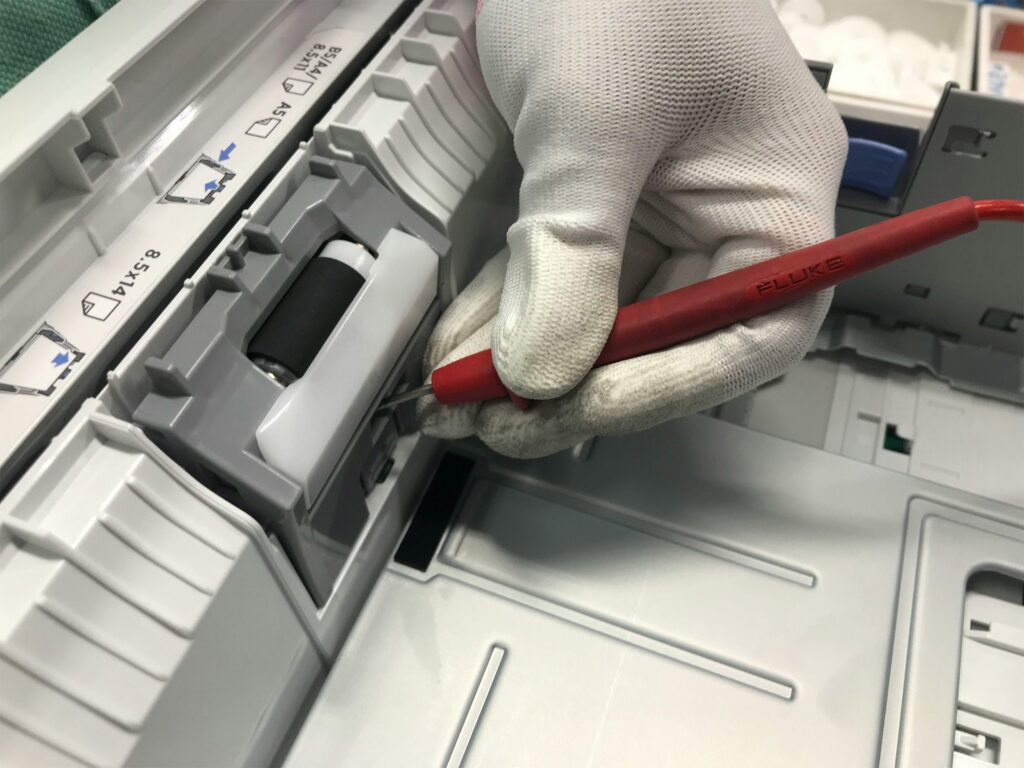
- Check feed rollers for wear and replace them if needed.
5. Handle Paper Jams Properly
Improperly removing jammed paper can leave scraps inside the printer, cause repeated jams, and even damage internal parts.
How to Remove a Jam Safely:
- Turn off the machine.
- Follow the on-screen instructions to locate the jam.
- Pull paper in the normal feeding direction, gently.
- Inspect for small scraps or bits of paper before restarting.
Following proper jam removal procedures protects your copier and keeps it operating smoothly.
6. Maintain the Environment
Your copier’s environment affects performance. High humidity, dust, or temperature fluctuations can impact print quality and reliability.
Best Practices:
- Keep printers away from direct sunlight or heaters.
- Maintain moderate humidity to prevent paper curling.
- Avoid placing printers in dusty areas or near open windows.
7. Update Firmware and Software
Modern MFPs connect to your network and often rely on firmware updates to improve performance, security, and compatibility.
Action Steps:
- Check for updates at least twice a year.
- Install official updates from the manufacturer only.
- Regularly review network settings and security patches.
8. Consider a Managed Print Service (MPS)
For businesses, Managed Print Services (MPS) is an excellent way to ensure consistent printer performance.
Benefits of MPS:
- Proactive monitoring of toner levels and usage
- Scheduled maintenance and preventive care
- Reduced downtime through professional servicing
- Cost predictability and inventory management
MPS can be especially helpful for high-volume offices or shared devices, letting your staff focus on work instead of troubleshooting printers.
9. Train Staff on Proper Usage
Many printer issues stem from user habits rather than hardware problems.
Training Tips:
- Teach employees how to load paper correctly.
- Encourage handling documents carefully to prevent jams.
- Remind staff not to use staples or clips unless the printer supports them.
Even small behavioral changes can dramatically reduce maintenance headaches.
10. Schedule Regular Professional Inspections
Even with diligent daily care, professional servicing ensures your copier runs like new. A certified technician can:
- Inspect and replace worn parts before they fail
- Perform deep cleaning inside rollers, drums, and fuser units
- Calibrate the machine for optimal print quality
Professional inspections prevent small issues from turning into costly repairs.
Quick Maintenance Checklist
| Task | Frequency |
| Wipe exterior and trays | Weekly |
| Clean scanner glass | Weekly |
| Inspect feed rollers | Monthly |
| Replace toner/ink | As needed |
| Run calibration/alignment | Quarterly |
| Professional service | Every 6–12 months |
| Firmware/software updates | Twice a year |
Keeping your office printer in top shape doesn’t have to be complicated. With routine cleaning, proper paper handling, timely consumable replacement, and occasional professional service, your copier or MFP can run efficiently for years.
A well-maintained printer means fewer jams, sharper prints, longer equipment life, and lower costs, all contributing to smoother office operations.
Emerald Document Imaging provides expert support, service, and equipment for businesses across Long Island, NYC, and the New York metro area. From Ricoh and Canon multifunction printers to professional maintenance plans, we help keep your office printing reliably and efficiently.
Contact us today for a free printer assessment or service plan →