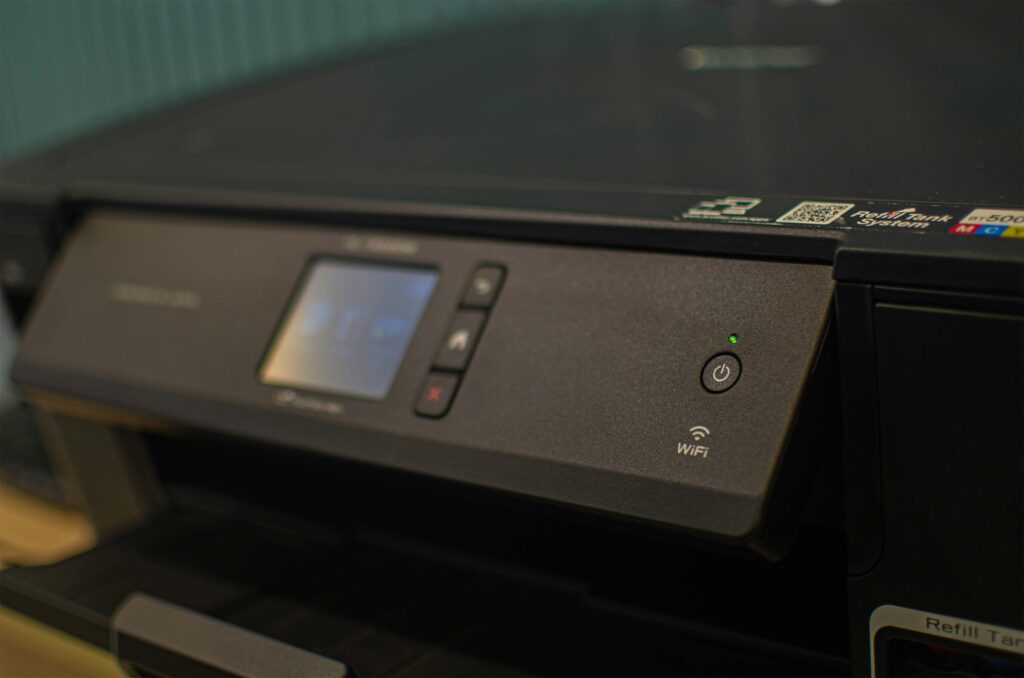
When most people think about cybersecurity, they picture hackers breaking into computers, not printers or copiers. But in 2026, your office’s multifunction devices are just as much a security risk as any desktop or laptop.
Modern printers, copiers, and scanners are essentially computers with hard drives, operating systems, and network access. That means they can be hacked, exploited, or used as backdoors into your network if not properly maintained.
The best defense? Regular software patching.
In this article, we’ll explain what a software patch is, why it’s crucial for office equipment security, and how to stay ahead of vulnerabilities that could put your business at risk.
What Is a Software Patch?
A software patch is a small update released by manufacturers to fix issues in a device’s operating system or firmware.
Think of it like a bandage—it covers up weaknesses or “holes” in your device’s code that hackers could exploit. Patches can fix:
- Security vulnerabilities
- Software bugs or performance issues
- Compatibility problems with new systems
- Feature improvements or firmware upgrades
For example, Canon or Ricoh may release a patch that fixes a flaw in how your printer communicates over Wi-Fi, preventing attackers from intercepting data.
Why Office Printers and Copiers Need Patches Too
Printers and copiers aren’t just mechanical devices anymore. They process sensitive data, from financial documents to medical records, and often store copies of these files on internal hard drives.
Here’s why patching matters so much for office equipment security:
1. Printers Are Connected to the Same Network as Your Computers
If your printer gets hacked, it can serve as an entry point into your company’s network. Hackers can intercept print jobs, access stored documents, or use the printer as a “stepping stone” to reach other connected systems.
2. They Store Sensitive Data
Many multifunction devices keep a cache of recent print, scan, or fax jobs. Without proper security updates or disk encryption, these files could be extracted by unauthorized users.
3. They Use Outdated Firmware
Office equipment is often purchased and then forgotten about for years. But firmware (the built-in software that runs your printer) needs updates just like your phone or computer. Manufacturers release patches regularly to close security holes.
4. They Can Be Targeted Remotely
Cyberattacks don’t require physical access. In 2024, several high-profile printer vulnerabilities were discovered that allowed hackers to take control of devices remotely, simply because businesses hadn’t installed patches.
Common Security Risks from Unpatched Office Equipment
Leaving your office devices unpatched can expose your business to multiple threats:
- Data breaches – Sensitive client or employee data could be accessed through the printer’s hard drive.
- Network infiltration – A single compromised printer can allow hackers to move laterally through your systems.
- Malware installation – Attackers may load malicious firmware that spreads to other devices.
- Downtime and productivity loss – Unpatched firmware bugs can cause freezing, misprints, or total device failure.
- Regulatory noncompliance – Industries like healthcare and finance must protect all endpoints that handle confidential information.
How to Check for and Install Software Patches
Here’s how to ensure your Canon or Ricoh office equipment stays secure and up to date:
1. Log Into Your Device’s Admin Console
Most printers and copiers have a web-based admin panel. Log in using your administrator credentials to view firmware details and update options.
2. Check the Manufacturer’s Website
Canon and Ricoh regularly release firmware and software patches. You can find them under your model’s “Support” or “Downloads” section.
3. Use Automatic Update Tools (If Available)
Some newer models allow for automatic firmware updates. Enable this option to receive the latest security fixes without manual downloads.
4. Schedule Regular Maintenance
If your office has managed print services, your provider can monitor and install patches as part of routine maintenance.
5. Keep a Patch Log
Document which devices have been updated, when, and by whom. This helps with compliance and auditing, especially in regulated industries.
Example: Canon and Ricoh Firmware Updates
- Canon imageRUNNER ADVANCE Series: Canon regularly releases firmware updates addressing encryption improvements, authentication protocols, and network security.
- Ricoh IM Series: Ricoh’s “Always Current Technology” platform allows automatic firmware updates directly from the control panel, ensuring devices stay secure without downtime.
Keeping these systems updated not only prevents vulnerabilities but also optimizes device performance and feature compatibility.
How Managed Print Services Help with Patching and Security
One of the biggest challenges businesses face is simply keeping up with patch management. Between multiple printers, users, and workflows, it’s easy for updates to fall through the cracks.
That’s where Managed Print Services (MPS) come in. With MPS, a trusted provider like Emerald Document Imaging:
- Monitors your devices remotely
- Installs critical firmware and security patches
- Manages user permissions and access controls
- Ensures your print network meets compliance standards
This proactive approach minimizes risk, reduces IT workload, and ensures every device stays secure—even as new threats emerge.
Best Practices for Office Equipment Security
Beyond patching, here are a few more tips to strengthen your office device security:
- Enable user authentication: Require PIN codes or badges to release print jobs.
- Encrypt stored and transmitted data: Ensure your devices use SSL/TLS for network communication.
- Regularly replace default passwords: Never leave admin logins as “admin/admin.”
- Wipe hard drives before recycling or resale: Clear stored data completely before disposing of old devices.
- Audit access logs: Check who’s printing, scanning, or copying sensitive files.
The Bottom Line
Software patches may not be glamorous, but they’re one of the most effective defenses against cyber threats targeting office equipment.
By keeping your Canon and Ricoh devices updated, you’re not just improving performance; you’re protecting your business from data breaches, compliance violations, and downtime.
If you’re not sure whether your devices are fully updated or need help managing firmware patches across your fleet, Emerald Document Imaging can help.
Ready to Secure Your Office Equipment?
Contact Emerald Document Imaging for a complimentary print security assessment.
We’ll review your device setup, check firmware versions, and ensure your networked printers and copiers are fully protected.