At some point, standard office copiers stop being enough. Print volumes increase. Marketing demands grow. Outsourcing costs rise. Deadlines tighten. That’s when businesses begin asking whether it’s time to upgrade to a production printer. This guide explains the clear signs that a business should upgrade to a production printer, how to evaluate ROI, and what operational changes justify the investment.
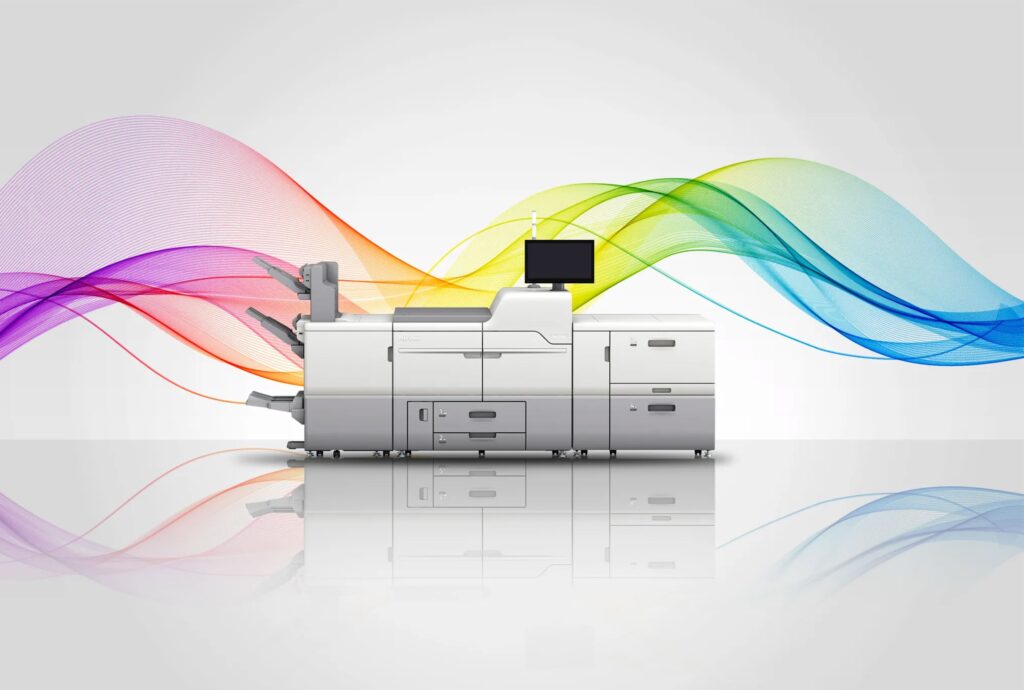
Production printers are not just faster copiers. They are high-capacity, revenue-generating systems designed for heavy workloads and professional-quality output.
What Is a Production Printer?
A production printer (or digital production press) is built for:
- High monthly print volumes
- Advanced color accuracy
- Specialty media handling
- Inline finishing
- High duty cycles
Unlike office MFPs designed for general workplace use, production systems are engineered for:
- Marketing departments
- In-house print rooms
- Commercial printers
- Universities
- Financial institutions
- Healthcare networks
They support higher paper weights, extended run times, and precision output.
1. Your Monthly Volume Exceeds 40,000–50,000 Pages
One of the most obvious upgrade signals is sustained high volume.
If your office consistently prints:
- 40,000+ pages per month
- High percentages of color
- Long uninterrupted runs
You may be operating at the upper limits of a standard copier.
Running a mid-tier device near its maximum duty cycle leads to:
- Frequent service calls
- Slower output
- Increased downtime
- Shortened equipment lifespan
Production printers are built for durability under heavy loads.
2. You’re Outsourcing Large Print Jobs Regularly
If your organization frequently outsources:
- Marketing brochures
- Booklets
- Catalogs
- Annual reports
- Training manuals
You should calculate what that outsourcing costs annually.
Production systems often allow businesses to bring high-margin print jobs in-house.
This reduces turnaround time and can significantly improve cost control.
If outsourcing spend exceeds the cost of financing a production device, upgrading deserves serious consideration.
3. You Need Advanced Media and Finishing Capabilities
Office copiers typically handle:
- Standard paper sizes
- Basic stapling
- Light cardstock
Production printers handle:
- Heavy-weight stock
- Coated paper
- Synthetic media
- Specialty finishes
- Booklet making
- Folding
- Multi-position stapling
- Inline trimming
If your marketing materials demand professional finish quality, office devices may not deliver consistent results.
Finishing automation alone can dramatically reduce labor time.
4. Color Accuracy Is Critical
Production printers provide:
- Advanced color calibration
- Consistent image quality
- Expanded toner options
- Improved registration
If your brand relies on precise color consistency, especially across large runs, production systems offer better control.
In marketing-driven industries, color variation impacts brand perception.
Upgrading protects brand standards.
5. You’re Losing Time to Workflow Bottlenecks
High-volume print environments often experience:
- Long print queues
- Delays during peak periods
- Constant toner changes
- Slow first-page-out speeds
When internal teams wait on equipment, productivity declines.
Production printers are designed for:
- Faster engine speeds
- Higher toner yields
- Continuous feeding systems
- Shorter turnaround windows
Speed matters when deadlines are tight.
6. You Want to Generate Revenue Internally
Some organizations use production printers as revenue centers.
Examples include:
- Universities offering print services
- Marketing agencies producing collateral
- Corporate in-house print departments
- Healthcare networks printing educational materials
Upgrading to a production device may:
- Reduce third-party dependency
- Increase internal service offerings
- Improve margins
- Support variable data printing
If print demand is consistent, production equipment can shift from cost center to revenue driver.
7. You Require Variable Data Printing
Variable data printing (VDP) allows you to customize:
- Names
- Addresses
- Unique codes
- Personalized messaging
At scale.
VDP is widely used in:
- Direct mail campaigns
- Membership communications
- Financial statements
- Healthcare notifications
Production printers handle high-speed variable jobs more efficiently than standard copiers.
If personalization is central to your marketing strategy, upgrading may be necessary.
8. Downtime Is Becoming Costly
High-volume environments cannot afford repeated interruptions.
If your current system:
- Requires frequent service
- Struggles during long runs
- Slows under heavy demand
Production printers offer more robust components and industrial-grade durability.
Reduced downtime improves overall operational stability.
9. Your Team Is Spending Too Much Time on Manual Finishing
Manual processes like:
- Hand stapling
- Booklet assembly
- Sorting
- Trimming
Add labor cost.
Inline finishing automates many of these steps.
In high-output departments, automation can save hundreds of labor hours annually.
Labor savings alone sometimes justify upgrading.
10. Your Business Is Growing Rapidly
Growth changes infrastructure needs.
If your organization is:
- Expanding locations
- Increasing marketing output
- Launching new services
- Scaling client communications
Your current equipment may not keep up.
Waiting too long to upgrade can limit operational capacity.
Evaluating the ROI of a Production Printer
Before upgrading, calculate:
- Current monthly volume
- Annual outsourcing costs
- Labor spent on finishing
- Downtime frequency
- Projected growth
If a production system reduces outsourcing and labor costs while improving efficiency, ROI may appear within two to four years.
For many mid-to-large organizations, the financial case becomes clear once full lifecycle costs are modeled.
Production Printer vs. Multiple Office Copiers
Some businesses try to solve high volume by adding multiple standard devices.
This may:
- Increase service contracts
- Complicate supply management
- Fragment workflow
One properly sized production printer often replaces multiple overworked copiers.
Centralization simplifies management.
Warning Signs You Shouldn’t Ignore
You may need to upgrade if:
- Your device struggles during long print runs
- Marketing demands exceed equipment capability
- Outsourcing continues to rise
- Color quality feels inconsistent
- Finishing tasks consume staff time
Ignoring these signals delays operational improvement.
Upgrading to a production printer is not just about speed; it’s about aligning your print infrastructure with your business goals.
When volume increases, outsourcing costs rise, finishing demands expand, or revenue opportunities emerge, a production system may provide strategic advantage.
The decision should be driven by data, not guesswork.
Contact us to evaluate whether upgrading to a production printer makes sense for your organization.