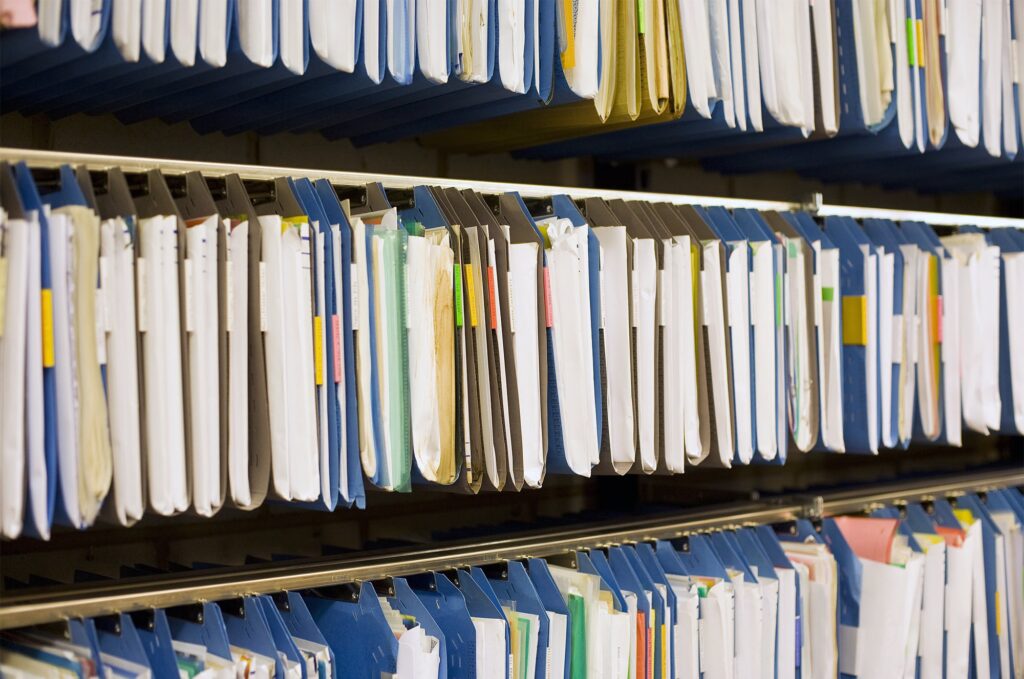
A software migration creates a forcing function that organizations rarely manufacture on their own: a fixed date by which records need to be in a new system, and the sudden visibility of everything that has been accumulating on paper for years. For many organizations, that visibility is uncomfortable. Decades of paper records that were never quite urgent enough to address suddenly have a deadline attached to them.
The answer is not to scan everything before the migration date. For most organizations with significant paper backlogs, that is not realistic. The answer is to be deliberate about what gets scanned before go-live, what gets scanned over time afterward, and what stays organized in physical storage for on-demand access. Getting that prioritization right determines whether the new system launches with the records staff actually need, whether the migration creates momentum toward a fully digital environment, or whether the paper problem simply moves into the background without being resolved.
This article explains what backfile scanning is in the context of a software migration, how to prioritize what gets scanned first, and what practical decisions need to be made before any scanning begins.
What Backfile Scanning Is and Why Migrations Create the Right Moment
Backfile scanning is the conversion of existing accumulated paper records into digital files. It is distinct from day-forward scanning, which establishes a process for digitizing documents as they are created going forward. Backfile projects address the historical paper record that exists before a digital workflow begins.
Software migrations create a specific and productive pressure around backfile scanning for several reasons.
When an organization moves to a new EHR, DMS, CRM, ERP, or other platform, the new system is typically adopted for current operations while historical records remain in their original format. The organization then operates in a split state: current work flows through the new system, but referencing historical records still requires going to paper or logging into the legacy system. The longer that split state continues, the more operational friction it creates and the harder it becomes to close out the legacy environment.
A migration is also an opportunity to define, once, how historical records will be organized and indexed in the new system. Making those decisions during the migration, rather than retroactively, produces a cleaner archive because the metadata schema and naming conventions can be designed to match the new system’s requirements from the start.
Finally, migrations often come with a budget and project momentum that makes backfile scanning fundable when it would not have been otherwise. Connecting the scanning project to the migration project creates a natural business case.
The Four Factors That Should Drive Prioritization
Scanning everything before a migration is rarely possible. The prioritization decision must be made deliberately, using criteria that reflect the real operational and compliance needs of the organization.
Factor 1: Whether the record will be needed at go-live.
The highest priority for pre-migration scanning is records that staff will need to access from within the new system on day one. For an EHR migration, these are the charts for patients who are currently in care or who are scheduled for upcoming appointments. For a DMS migration, these are the files for active clients and open projects. For an accounting system migration, these are the current-year financial records.
If these records are not in the new system at go-live, staff will be working across two environments simultaneously: the new system for current work and the old paper or legacy system for historical reference. That split creates inefficiency and increases the risk that something important is missed.
Factor 2: The physical risk to the records.
Records in poor condition, stored in vulnerable locations, or with no backup copy should be treated as high priority regardless of their access frequency. Paper records that are deteriorating, water-damaged, stored in flood-prone basements, or located in areas that create environmental risk may not be retrievable later if the scanning decision is deferred too long.
If a record is both needed operationally and physically at risk, it should be at the very top of the scanning queue. If it is not frequently accessed but represents the only copy of important information, physical risk alone justifies prioritizing its conversion.
Factor 3: Retrieval frequency.
Records that are accessed frequently provide the highest immediate operational return on scanning investment. If a record is pulled multiple times per month, digitizing it eliminates recurring retrieval friction and, if records are stored offsite, recurring retrieval fees.
Access frequency can often be assessed by reviewing retrieval logs if records are stored with a vendor, by asking department heads which records they access most, or by observing which sections of a physical filing system see the most activity. High-retrieval records have the fastest payback on scanning cost and the most immediate impact on user satisfaction with the new system.
Factor 4: Upcoming compliance and audit exposure.
Records that will be needed for an upcoming audit, regulatory review, or litigation response should be prioritized for pre-migration scanning so that they are readily producible in the new system rather than requiring a parallel retrieval from physical storage during a time-sensitive compliance event.
If the organization has a pattern of annual audits, tax examinations, or regulatory reviews, planning the backfile scanning scope to include the records most likely to be examined is a practical risk management decision.
A Three-Tier Framework for Staging the Project
Once the four factors have been assessed for the backfile, most organizations find that their records fall naturally into three tiers that can guide project staging.
Tier 1: Scan before go-live.
Tier 1 includes records that staff will need at go-live, records in poor physical condition, and the highest-retrieval subset of the archive. The objective of Tier 1 scanning is to ensure that the new system launches with the records that matter most already integrated, so that the day-one user experience demonstrates the value of the migration rather than exposing its gaps.
For most organizations, Tier 1 is a defined, bounded subset of the total backfile. It is the portion that can be completed on the migration timeline with available resources. Defining Tier 1 clearly before the project begins is the most important planning decision.
Tier 2: Scan in the first year post-migration.
Tier 2 covers records that are important to have digitally available but that are not needed at go-live. This typically includes records from the past two to five years that are accessed occasionally, historical files for clients and matters that are no longer active but may be referenced, and records that are not currently at risk but represent meaningful retention obligations.
Tier 2 scanning can proceed on a planned schedule after the migration is stable, using the same quality and indexing standards established for Tier 1.
Tier 3: On-demand or long-term schedule.
Tier 3 is the remaining historical backfile: older records, low-retrieval archives, and records that are retained for compliance but rarely or never accessed. These records do not need to be scanned before or during the migration and may not need to be scanned at all if organized physical storage with scan-on-demand service provides adequate access.
Not every record in Tier 3 requires proactive scanning. For records that may be accessed once in several years, scan-on-demand, where the physical record is scanned at the time of request rather than proactively, often provides sufficient access at lower total cost than a comprehensive backfile project.
Industry-Specific Prioritization Guidance
Healthcare: EHR Migrations
EHR migrations are among the most common contexts for backfile scanning decisions, and they involve a patient-facing dimension that makes prioritization particularly important.
Before an EHR migration, healthcare organizations should prioritize:
- Active patient records: Charts for patients with upcoming scheduled appointments should be scanned before go-live so that the treating provider has access to the patient’s history in the new system for the visit.
- Records for patients with complex chronic conditions: Patients who are being managed for ongoing conditions will likely reference their historical records at every encounter. Their charts are high-priority for pre-migration scanning regardless of when the last visit occurred.
- Records from the past two to three years: This population is most likely to return for care in the near future. Records that are three to five years old are important but slightly less urgent. Records from more than five years ago can often be addressed in Tier 2 or Tier 3.
- Records for pediatric patients: Pediatric records have long retention requirements and the patients may need them throughout their adult lives. Early conversion is worthwhile.
Records for patients who have not been seen in several years and who show no indicators of likely return can generally be addressed in Tier 2 or retained in organized physical storage with scan-on-demand capability.
Business and Professional Services: DMS, CRM, and ERP Migrations
For non-healthcare organizations migrating to new document management, CRM, or accounting systems, prioritization follows operational activity:
- Open client and project files: Any matter, project, engagement, or account that is currently active should be in Tier 1. These are the records staff will reference every day in the new system.
- Current fiscal year financial records: For accounting system migrations, the current year’s records should be scanned before or at go-live.
- Prior fiscal year records within the audit window: Records from the past two to three years are within the likely range of financial audit activity and should be addressable in Tier 2.
- Closed client and project files from recent years: Matters closed within the past two to three years may have follow-up activity, reference needs, or litigation exposure. These are Tier 2 candidates.
- Older closed matters and historical archives: These are Tier 3 candidates suitable for long-term planned scanning or on-demand access.
What to Do With Records You Cannot Scan Before Go-Live
Records that do not make it into Tier 1 before the migration date should not simply be left without a plan. Several practical approaches prevent the unscanned backfile from becoming an ongoing liability.
Maintain organized physical storage with a complete inventory.
Records that remain in paper form should be in organized, indexed storage so that specific records can be located when needed. An unorganized paper backlog is a retrieval problem; a well-indexed physical archive is a manageable interim solution.
Establish a scan-on-demand process.
Define the workflow for requesting a specific document from the physical backfile and receiving a scanned digital copy. This allows staff to work within the new system even for records that have not been proactively scanned, by requesting conversion at the point of access.
Continue Tier 2 and Tier 3 scanning on a documented schedule.
Post-migration scanning should not be indefinitely deferred. A defined timeline for completing the backfile over the first year or two post-migration keeps the project moving and avoids the accumulation of an ever-larger unresolved backlog.
Do not destroy records simply because they were not scanned.
Records within their retention period must be retained whether or not they have been digitized. The decision to prioritize scanning is a prioritization of effort and budget, not a decision about what records must legally be kept.
Technical Requirements That Must Be Set Before Scanning Begins
One of the most common and costly mistakes in backfile scanning projects is beginning to scan before the technical requirements of the new system are understood. Scanned files that are in the wrong format, use inconsistent naming conventions, or carry metadata that does not match the new system’s data structure will require rework that could have been avoided.
Before scanning begins, confirm:
- The file format the new system requires. Most systems accept PDF, but some require TIFF, and some have requirements for specific PDF versions such as PDF/A for archival purposes.
- The naming convention for imported files. If the new system identifies records by a specific identifier (client number, patient MRN, matter number), the scanned file names should reflect those identifiers for reliable import and retrieval.
- The metadata fields the new system uses. If the system will be populated through a batch import process, the index file containing metadata must match the system’s field structure exactly.
- The OCR requirements. Whether the system requires searchable text, and at what accuracy standard, should be defined before scanning begins.
- The image resolution requirements. Standard document scanning at 300 DPI is adequate for most systems, but some applications require higher resolution for specific document types.
- How the batch import will work. Understanding whether files will be imported manually, through a structured import tool, or through a direct integration with the scanning vendor’s delivery determines how the project output should be organized.
Setting these specifications before scanning begins ensures that Tier 1 records arrive in the new system ready to use, not as a batch of files that need to be reorganized before they can be loaded.
Frequently Asked Questions
What is backfile scanning and how is it different from day-forward scanning?
Backfile scanning is the conversion of existing accumulated paper records into digital format, addressing the historical record that built up before a digital system was implemented. Day-forward scanning is the process of digitizing documents as they are created going forward. A software migration often requires addressing both: the backfile must be converted to populate the new system with historical records, and a day-forward process must be established so that new documents enter the system digitally from go-live.
How do I decide which records to scan before a software migration?
Prioritize records based on four factors: whether the record will be needed at go-live, whether the physical record is at risk of deterioration or loss, how frequently the record is accessed in current operations, and whether the record is needed for an upcoming compliance or audit event. Records that score high on multiple factors should be in Tier 1 for pre-migration scanning. Records with lower scores can be addressed in Tier 2 after migration or maintained in organized physical storage with scan-on-demand access.
Can I scan everything before my migration date?
For most organizations with significant paper backlogs, scanning everything before a fixed migration date is not realistic. The practical approach is to define a Tier 1 scope that can be completed on the migration timeline, establish a Tier 2 schedule for completion in the first year post-migration, and maintain organized physical storage with scan-on-demand access for the remaining archive.
What happens to records that are not scanned before the migration? Records that are not scanned before the migration should be maintained in organized physical storage with a complete inventory and a defined scan-on-demand process for accessing them from within the new system. They should not be destroyed if they are within their retention period. A documented post-migration scanning schedule for Tier 2 records keeps the broader digitization project moving.
Why must technical specifications be defined before scanning begins?
The new software system has specific requirements for file format, naming conventions, metadata fields, OCR, and import structure. Scanning records before understanding those requirements produces files that may need to be reworked to be compatible with the system. Setting specifications before scanning begins ensures that Tier 1 records arrive ready to import and use, without requiring additional conversion work.
How does backfile scanning affect the new system’s performance at go-live?
When Tier 1 records are scanned and imported before go-live, staff can access historical records within the new system from day one. This reduces the operational friction of working across two environments, demonstrates the value of the new system from its first day of use, and accelerates adoption. Organizations that launch new systems without critical historical records available often see slower adoption and higher resistance to the new workflow.
Emerald Document Imaging provides professional backfile scanning services for organizations on Long Island and throughout the New York metro area preparing for software migrations, including EHR conversions, document management system upgrades, and ERP implementations. We work with your migration timeline to prioritize and deliver Tier 1 records before go-live and continue Tier 2 scanning on a post-migration schedule.
Learn more about our Document Scanning Services and request a consultation for your project.