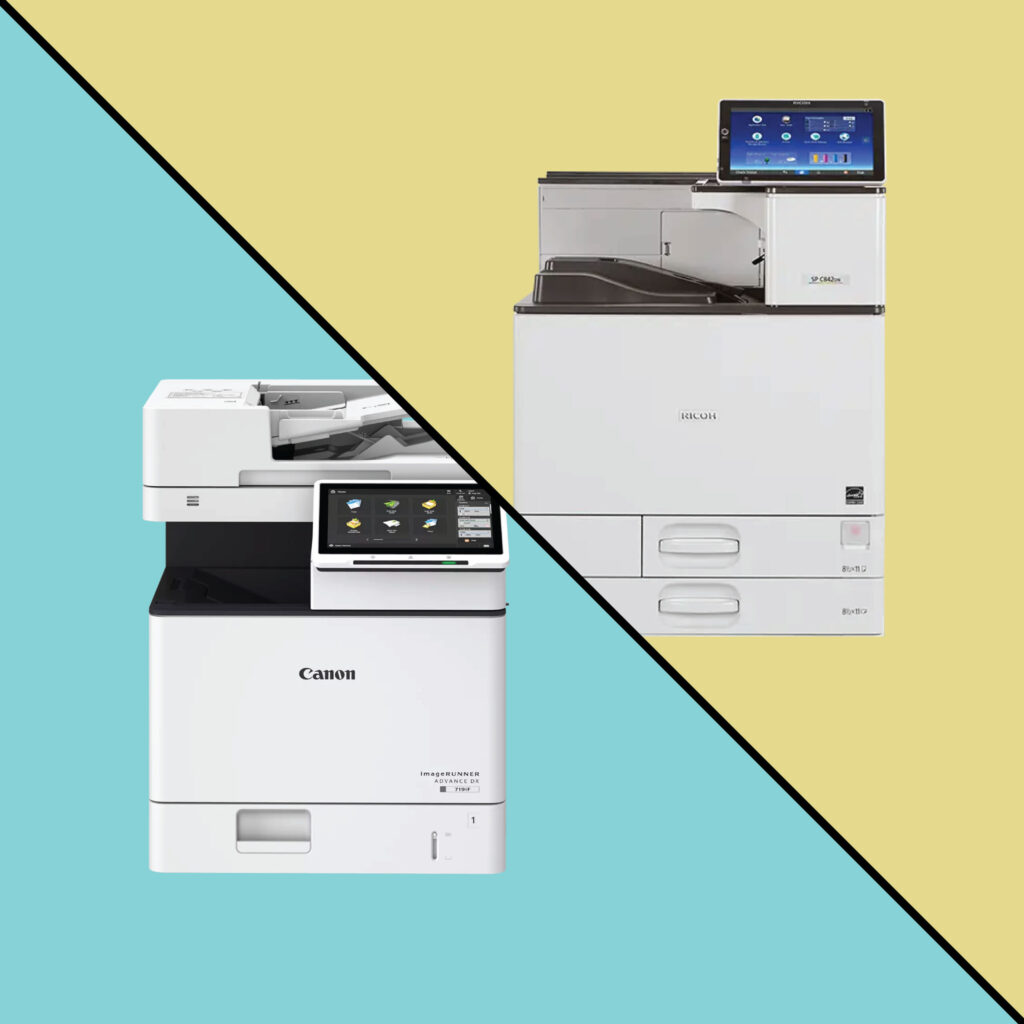
If you’ve ever shopped for new office equipment, you’ve probably noticed the terms printer and copier being used almost interchangeably.
But when it’s time to invest in new hardware for your office, the difference matters. The right device can improve productivity and lower your cost per page, while the wrong one can lead to bottlenecks, wasted toner, and unnecessary spending.
In this post, we’ll break down the real differences between copiers and printers in 2026, explain what a multifunction printer (MFP) actually is, and help you decide which one best fits your business needs.
Copier vs. Printer: The Quick Answer
Traditionally:
- A printer takes a digital document and puts it on paper.
- A copier takes a paper document and reproduces it.
But modern technology has blurred those lines. Today’s multifunction printers (MFPs) combine both functions (and much more) into one connected device.
So, while standalone copiers and printers still exist, most businesses now use MFPs that print, copy, scan, fax, and even connect to the cloud.
What Is a Copier (in 2026 Terms)?
The word “copier” used to refer to a purely analog device that used light, toner, and heat to duplicate documents.
In 2026, nearly all “copiers” are actually digital multifunction devices that can:
- Copy documents directly
- Scan and digitize files
- Send faxes or emails
- Print from computers or mobile devices
These are commonly called office copiers or MFPs, especially for larger offices and shared workgroups.
What Is a Printer?
A printer typically refers to a single-function device that prints from a computer, smartphone, or network.
There are two major types:
- Inkjet printers – great for color images, photos, and small offices.
- Laser printers – use toner for sharp, fast, high-volume printing.
Printers are ideal for individual users or small teams that mainly print from digital files rather than needing to copy or scan large volumes of paper.
Multifunction Printers: The Best of Both Worlds
A multifunction printer (MFP) combines printing, copying, and scanning in one device.
These machines have become the standard in business environments because they:
- Save space and power
- Reduce supply costs (one toner system instead of several)
- Streamline workflows with network scanning and cloud connectivity
MFPs range from compact desktop units for small businesses to large, floor-standing systems that serve entire departments.
Feature Comparison: Copier vs. Printer
| Feature | Printer | Copier / MFP |
| Primary Function | Prints from digital files | Prints, copies, scans, and often faxes |
| Speed (Pages Per Minute) | 20–40 ppm typical | 30–100+ ppm (depending on model) |
| Color Capability | Available in both B&W and color | Available in both B&W and color |
| Networking / Cloud Access | Common | Standard, often with advanced features |
| Document Finishing (Stapling, Folding, etc.) | Rare | Common in mid/high-end models |
| Scan to Email / Folder | Sometimes | Standard |
| Ideal For | Individual users or small teams | Mid-size to large offices, shared environments |
| Typical Cost Range | $200–$2,000 | $3,000–$20,000+ |
How to Decide Which Device Your Office Needs
When choosing between a printer and a copier (or an MFP), consider the following key factors:
1. Your Office Size and Volume
If you only print a few hundred pages per month, a small desktop printer may be enough.
If you print or copy thousands of pages per month, an office copier or MFP will handle the workload more efficiently and at a lower cost per page.
2. Color Needs
Do you mostly print black-and-white documents, or do you produce marketing materials, reports, or color presentations?
Color-capable devices cost more but can add polish to client-facing materials.
3. Finishing Options
If you frequently create packets, proposals, or brochures, choose an MFP with finishing options like:
- Automatic stapling
- Collating
- Hole punching
- Booklet making
These built-in features save staff time and reduce manual errors.
4. Scanning and Digital Workflow
Modern offices are going paper-light. If you need to digitize paper records and send them to shared drives, cloud folders, or document management systems, an MFP is the smarter choice.
5. Remote or Hybrid Work
Many New York businesses now operate in hybrid environments. MFPs with remote printing, mobile access, and secure user authentication make it easier for employees to print or scan from anywhere.
Real-World Example: Long Island Business Case
Let’s say a construction management firm on Long Island prints hundreds of contracts, blueprints, and invoices every week.
They could buy several desktop printers for each department, but they’d spend more on toner and maintenance.
Instead, a centralized MFP lets them:
- Print, copy, and scan from one machine
- Send scans directly to shared folders or email
- Automatically staple and collate bid packets
The result: lower costs and faster workflows without sacrificing print quality.
Cost Comparison: Copier vs. Printer
| Device Type | Average Purchase Price | Average Monthly Lease | Ideal For |
| Desktop Printer | $200 – $1,500 | $15 – $50 | Remote or small office |
| Small Business MFP | $2,000 – $4,000 | $60 – $120 | Small to mid-size teams |
| Mid-Volume Office Copier | $4,000 – $8,000 | $125 – $250 | 10–50 users |
| High-Volume MFP | $8,000 – $20,000+ | $275 – $600 | Enterprise environments |
Should You Buy or Lease?
For most offices, leasing an MFP or copier offers flexibility, predictable costs, and professional service support.
Leasing benefits:
- Low upfront cost
- Maintenance and toner included
- Easy equipment upgrades every few years
Buying may make sense for smaller operations with low print volumes and minimal service needs.
When a Printer Makes More Sense
You might stick with a standard printer if:
- You only print occasionally
- You don’t need to copy or scan documents
- You work from home or in a small shared office
- You value a compact footprint and simple setup
Many hybrid and remote workers use desktop MFPs (compact versions of office copiers) as a middle ground between printers and large multifunction systems.
When to Choose a Copier or MFP
An MFP or office copier is the better choice if you:
- Print or copy in high volume
- Need professional finishing or booklet options
- Rely on scanning and digital workflows
- Want to centralize print management under one contract
These devices are designed for speed, reliability, and security, all essential for larger businesses and organizations.
The Bottom Line
In 2026, the line between a copier and a printer has all but disappeared. If you need more than basic printing, a multifunction printer offers the best long-term value and flexibility.
For light printing needs, a simple desktop printer or small MFP may be perfect, but if your office prints daily, an enterprise copier with a managed print plan will save money and reduce headaches.
Ready to Find the Right Device for Your Business?
Whether you’re a small office in Long Island, a growing company in NYC, or part of a larger New York metro organization, Emerald Document Imaging can help you compare options and find the right fit.
We offer:
- Ricoh, Canon, and Brother multifunction printers
- Leasing or purchase options
- Local service and on-site support
Contact us today for a free print assessment or equipment quote →