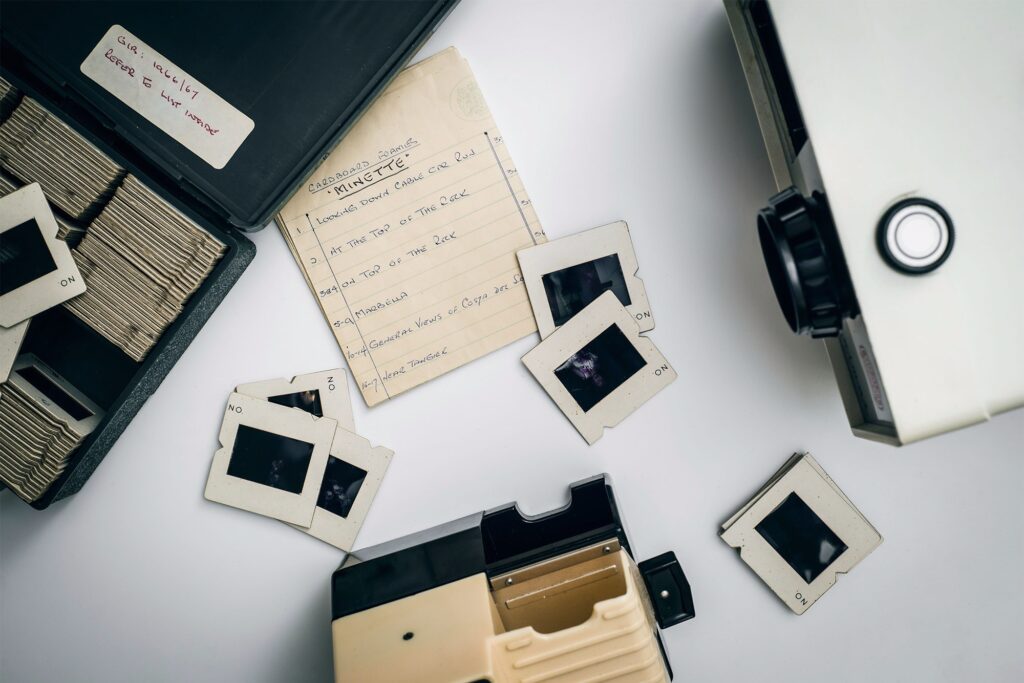
Somewhere in the archives of almost every hospital, engineering firm, government agency, financial institution, library, and large corporation built before the 1990s, there is a collection of legacy film media. Some organizations know exactly what they have. Many do not.
What is consistent across almost all of them is that the records stored on that media are deteriorating, the equipment needed to read them is becoming harder to find and maintain, and the window for converting them to a usable digital format is narrowing every year.
Microfiche, microfilm, and aperture cards were the dominant document storage technology for several decades before digital systems became viable. They were used because they were compact, durable relative to paper, and capable of holding enormous amounts of information in a small physical footprint.
They are still holding that information today, but not indefinitely. Film degrades. Readers break. Institutional knowledge about what each roll or sheet contains disappears as the people who worked with these systems retire.
This article explains what each format is, how they differ from one another, why the risk of permanent loss is real, and how to prioritize which records to digitize first when you are looking at a backlog that may span decades.
The Three Formats: What They Are and How They Work
Microfiche
Microfiche is a flat, rectangular sheet of photographic film, typically measuring 4 by 6 inches (or 105 by 148 millimeters in the international standard). Each sheet contains a grid of miniaturized document images, called frames, arranged in rows and columns.
A standard microfiche sheet holds up to 98 frames, though the actual number depends on the reduction ratio used when the documents were originally filmed.
Microfiche was widely used from the 1950s through the 1990s in libraries, government agencies, banks, insurance companies, and healthcare organizations. It was the format of choice for records that needed to be accessed frequently, because individual sheets could be retrieved and placed in a reader without winding through a roll.
Three types of film were used for microfiche:
- Silver halide film is the most stable and archival. Properly stored silver halide microfiche can last for several hundred years. It is the standard for archival applications.
- Diazo film is a lower-cost duplicate format commonly used when multiple copies were needed. It is less stable than silver halide and is susceptible to fading over time, particularly when stored in warm or humid conditions.
- Vesicular film is even less stable than diazo and should be considered high priority for digitization. It is prone to image loss and can deteriorate significantly within decades of creation.
Microfilm
Microfilm is a continuous roll of photographic film, typically 16mm or 35mm wide, stored on a reel or in a cartridge or cassette. Each roll can contain thousands of document images captured sequentially along the film.
The 16mm format was most commonly used for standard business records, including checks, correspondence, invoices, and patient records. The 35mm format was used for larger documents, particularly newspapers, maps, architectural drawings, and engineering plans where higher resolution was needed to capture fine detail.
Because microfilm is sequential, finding a specific document requires winding through the roll until the target frame is reached. This makes bulk retrieval slower than microfiche but does not diminish the value of the records themselves.
The same three film types, silver halide, diazo, and vesicular, apply to microfilm as to microfiche, with the same relative stability characteristics. Many organizations have both silver halide master rolls and diazo duplicates. When digitization resources are limited, masters should always be prioritized over duplicates.
Aperture Cards
Aperture cards are a hybrid format that combines a standard IBM punch card (measuring approximately 3.25 by 7.375 inches) with a single frame of 35mm microfilm mounted in a rectangular cutout, called the aperture, punched into the card.
The punch card portion of an aperture card typically encodes metadata about the document, including a drawing number, revision level, title, and date, in machine-readable format. Each card holds one document image, most commonly an engineering drawing, architectural plan, or technical diagram.
Aperture cards were the standard for engineering document management in aerospace, defense, automotive, manufacturing, and construction from the 1940s through the 1990s. A single engineering project might involve thousands of aperture cards, each representing one drawing in a complete design package.
When scanning aperture cards, the process captures both the image of the engineering drawing from the embedded microfilm and the metadata encoded in the punch card, linking the two in the digital output. The result is a searchable, indexed digital file that preserves the document’s original reference information.
Why Legacy Film Records Face Permanent Loss
The risks to legacy film media are real, measurable, and increasing over time.
Film Deterioration
All three film types are subject to chemical and physical degradation. The most significant threat to acetate-based film, which includes most film produced before the late 1980s, is vinegar syndrome, a chemical process in which the acetate base breaks down and releases acetic acid.
The name comes from the vinegar-like odor the deteriorating film produces. Film affected by vinegar syndrome becomes brittle, warps, shrinks, and eventually becomes impossible to scan. Once vinegar syndrome progresses past its early stages, the information on the film is lost.
Redox blemishes, small rust-colored spots caused by oxidation reactions, appear on silver halide film and can obscure or destroy image content if not addressed. Diazo and vesicular films are susceptible to fading and color shift. All formats are vulnerable to physical damage from poor storage conditions, handling, pests, and environmental events.
Equipment Obsolescence
Microfilm and microfiche readers, as well as the specialized scanning equipment needed to digitize legacy film, are no longer manufactured for most formats.
Equipment that breaks can be difficult or impossible to repair, and the technicians who know how to service it are retiring. As scanning equipment becomes scarcer, the cost of conversion increases and the window for doing it at all shrinks.
Institutional Knowledge Loss
The staff members who created the filing systems for these records, who know what each roll or cabinet contains, and who can interpret filing conventions and abbreviations, are often no longer with the organizations that hold the records. As that knowledge departs, the records become harder to inventory and harder to prioritize for digitization.
Which Records Should Be Digitized First: A Prioritization Framework
When an organization faces a backlog of legacy film media, the question of what to digitize first is not simply a matter of convenience. It is a triage decision with real consequences for what information survives.
Priority 1: Records showing signs of active deterioration.
Film that smells of vinegar, shows visible warping, has become brittle, or displays color changes or blemishes should be digitized immediately. These are the records at highest risk of becoming unreadable.
Scanning deteriorating film requires specialized equipment and handling, but it is the only way to recover the information before it is lost entirely. If you are uncertain whether your film is deteriorating, a professional scanning service can assess the condition of a sample before you commit to a larger project.
Priority 2: Vesicular and diazo film.
Both formats are inherently less stable than silver halide and should be prioritized over silver halide masters in good condition, particularly if storage conditions are not ideal.
Priority 3: Records with active access needs.
Film that staff members are actively trying to retrieve and read requires functional reader equipment.
If your organization’s readers are failing or your staff is spending significant time navigating legacy formats to answer routine requests, those records are strong candidates for early digitization regardless of their physical condition. Converting them reduces operational friction immediately.
Priority 4: Records with no alternative copy.
Film that represents the sole copy of information that cannot be reconstructed should be treated as high priority even if the film appears physically stable.
A one-of-a-kind engineering drawing set, a unique legal record, or a historical collection that exists nowhere else carries an irreplaceability factor that elevates its digitization priority independent of its physical condition.
Priority 5: Records with regulatory or legal obligations.
Records that must be retained under HIPAA, FINRA, SEC, state law, or other regulatory frameworks cannot be allowed to deteriorate to the point of unreadability. If those records exist only on film, their retention obligation creates a digitization obligation.
Priority 6: Everything else.
Silver halide film in good storage conditions, with no active access pressure and no immediate deterioration, can generally be addressed on a planned timeline rather than an emergency one. Good storage conditions mean climate-controlled, low humidity, low light, and away from chemicals and pollutants.
How Digitization Works for Each Format
The scanning process differs by format, but the goals are the same: capture the image at sufficient resolution, apply OCR where document text is present, index each file with appropriate metadata, and deliver searchable, organized digital output.
Microfiche is scanned frame by frame using a flatbed or rotary microfiche scanner. Resolution requirements depend on the content: standard text documents typically require 200 to 400 DPI, while technical drawings or fine-detail content may require higher resolution to capture usable detail.
Microfilm is fed through a roll scanner that captures each frame sequentially as the film advances. Modern roll scanners can process a 16mm roll quickly, but preparation time for film in poor condition is significant. Splices, breaks, and warped sections require careful handling.
Aperture cards require a specialized aperture card scanner that reads both the microfilm image and the punch card data simultaneously. The metadata from the punch card is extracted and linked to the scanned image, so the digital output includes both the drawing and its reference information in an indexed, searchable format.
In all cases, the quality of the scanning output depends heavily on the condition of the source film and the resolution settings used.
A professional scanning service should be able to show sample output from similar film types before committing to a full project, and quality control review should be built into the process to catch frames that need rescanning or manual intervention.
What You Get After Digitization
The standard deliverable from a legacy film digitization project is a set of searchable PDF files, one per original document, indexed with the metadata associated with each frame.
For microfiche and microfilm records, that metadata typically includes the roll or sheet identifier, the frame number, the document date, and any reference information captured from the original filing system or from OCR extraction.
For aperture cards, the digital output typically includes the drawing image as a high-resolution PDF or TIFF file, linked to the punch card metadata including drawing number, revision, title block information, and date.
The digital files can be delivered on an external drive, uploaded to a shared drive or document management system, or migrated directly into an existing ERP, DMS, or engineering content management platform. The index data is typically provided as a spreadsheet or database file that can be imported into the destination system.
After digitization, the original film should be retained according to your organization’s retention policy and applicable legal requirements. Digitization creates a usable working copy; it does not automatically satisfy retention obligations that specify the original format must be preserved.
Frequently Asked Questions
What is the difference between microfiche and microfilm?
Microfiche is a flat rectangular sheet of photographic film holding a grid of miniaturized document images, typically up to 98 per sheet. Microfilm is a continuous roll of film holding thousands of images sequentially.
Both formats store documents as miniaturized photographic images, but they differ in physical form, access method, and the types of records they were typically used for. Microfiche allows direct access to individual sheets; microfilm requires winding through a roll to reach a specific frame.
What is an aperture card and why is it used for engineering drawings?
An aperture card is a punch card with a single frame of 35mm microfilm mounted in a rectangular cutout. The punch card encodes metadata such as a drawing number, revision, and title, while the microfilm holds the image of the document, typically an engineering drawing or technical diagram.
Aperture cards were the standard for engineering document management for several decades because they allowed large drawings to be stored compactly while keeping the drawing linked to its reference data.
What is vinegar syndrome and why does it matter for microfilm and microfiche?
Vinegar syndrome is a chemical deterioration process that affects acetate-based film, which includes most microfilm and microfiche produced before the late 1980s. As the acetate base breaks down, it releases acetic acid and produces a distinctive vinegar-like odor.
The process causes the film to become brittle, warp, shrink, and eventually lose image integrity. Once vinegar syndrome progresses significantly, the information on the film cannot be recovered. Film with early-stage vinegar syndrome can often still be digitized; film in advanced stages may be partially or entirely unreadable.
How do I know which type of film I have?
Silver halide film is typically black and white with a clear or slightly blue-tinted base. Diazo film has a blue or blue-violet tint. Vesicular film has a yellow or golden tint. A professional scanning service can identify film types from a sample and assess condition before a project begins.
If film is producing a vinegar odor, that is a reliable indicator of acetate base deterioration regardless of the emulsion type.
Can deteriorating film still be scanned?
It depends on the stage of deterioration. Film in early stages of vinegar syndrome, where it is becoming brittle but still flat and readable, can often be scanned with careful handling, appropriate environmental conditions, and specialized equipment.
Film that has warped significantly, broken into fragments, or lost image integrity may be partially or entirely beyond recovery. A professional assessment of a sample is the most reliable way to understand what is recoverable before committing to a full project.
What resolution should legacy film be scanned at?
The appropriate resolution depends on the content. Standard text documents on microfiche or microfilm are typically scanned at 200 to 400 DPI, which produces files that are readable and searchable without being unnecessarily large.
Engineering drawings and technical documents with fine lines and small text often require 400 DPI or higher to capture usable detail. A professional scanning service should discuss resolution requirements for your specific content types before beginning a project.
Emerald Document Imaging provides professional scanning services for microfiche, microfilm, and aperture cards, including condition assessment, high-resolution conversion, OCR processing, and indexed digital delivery.
If you have legacy film media in your archive, the time to assess and convert it is before deterioration makes that decision for you.
Learn more about our Microfilm and Microfiche Scanning Services and request a consultation.